Company profile
Company details, working hours and how the company is presented on the site. Switches on the profile decide what a visitor sees and whether they can book with it at all.
Services, bookings and jobs in one module
A company profile, a price list of services, references and a booking calendar for clients. For a tradesman, a workshop, a salon or a consultant — with jobs that turn into an invoice.
Add-on to a running CoolCMS€1,000
A new site with this module€2,600
Server install, setup and training are included in the price. Work beyond that is billed at €40/h. Full price list.
What a visitor to the site sees
The parts of the module as you find them in the administration.
Company details, working hours and how the company is presented on the site. Switches on the profile decide what a visitor sees and whether they can book with it at all.
Individual services with a price, sorted into groups.
Examples of finished work on the company profile.
The main working screen. A calendar in four views — year, month, week, day — and slots are created right inside it.
Working hours, slot length and booking lead time. A company can have several, each with its own colour and order.
A list of booked slots with their state: awaiting confirmation, confirmed, cancelled.
A job sheet and the individual work done on it. Unfinished work can be carried over to the next sheet.
Screenshots from the administration and from the site, the way an administrator and a visitor see them.
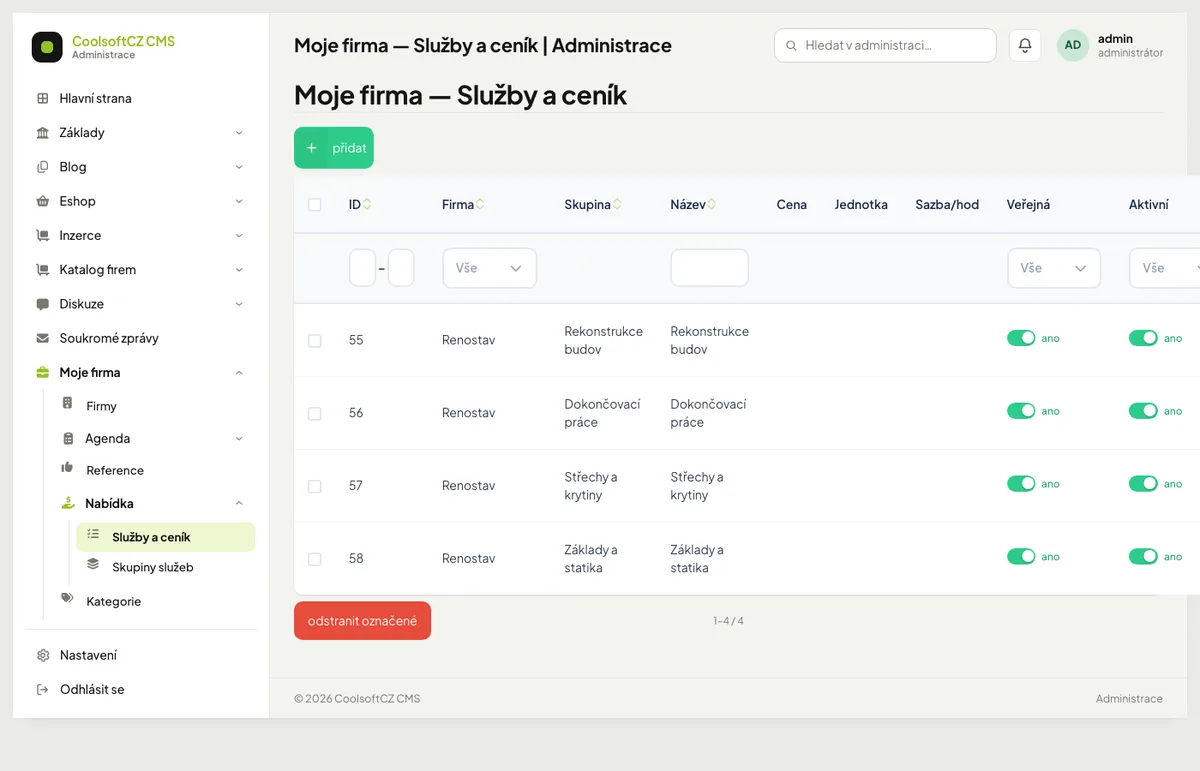
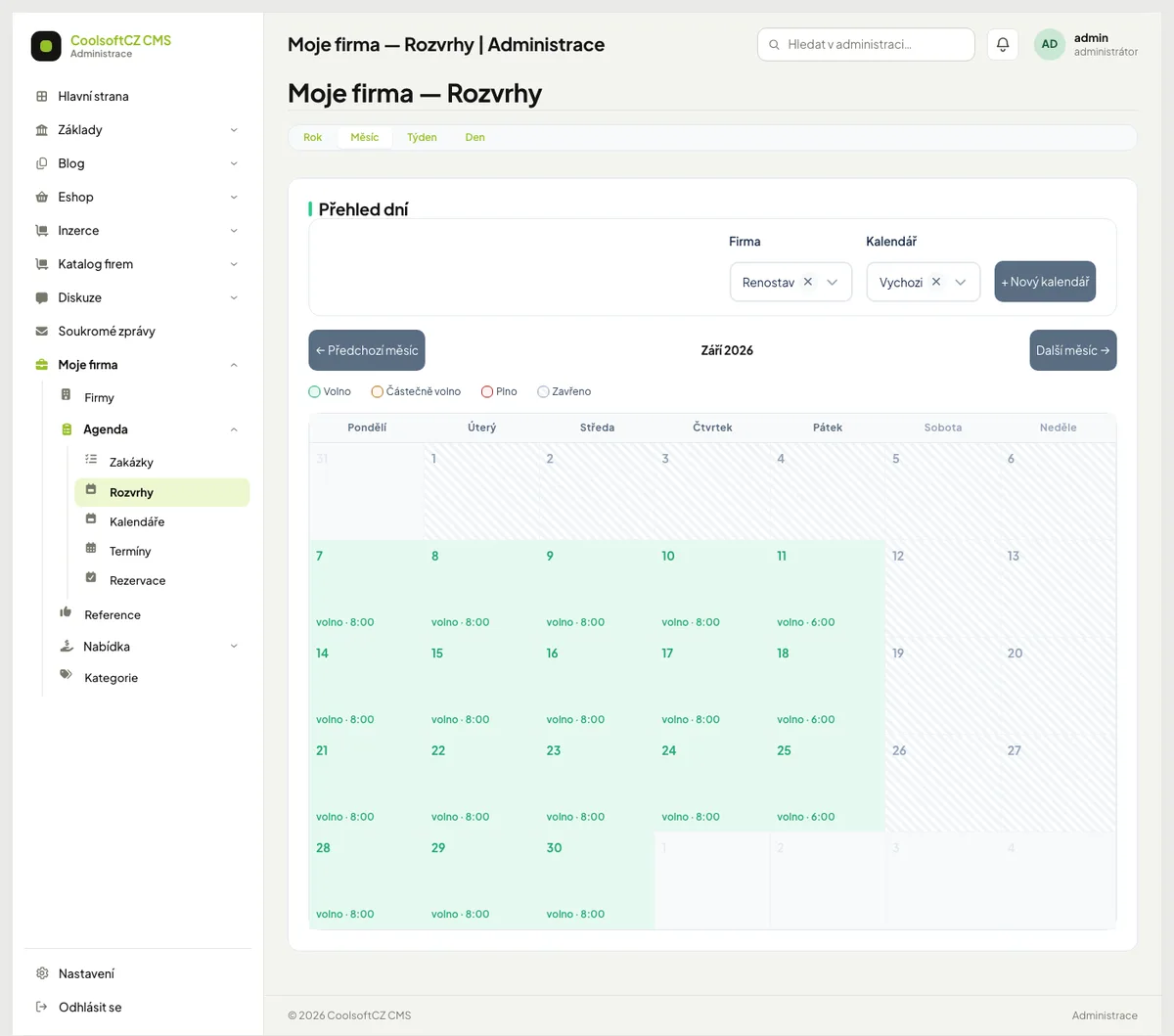
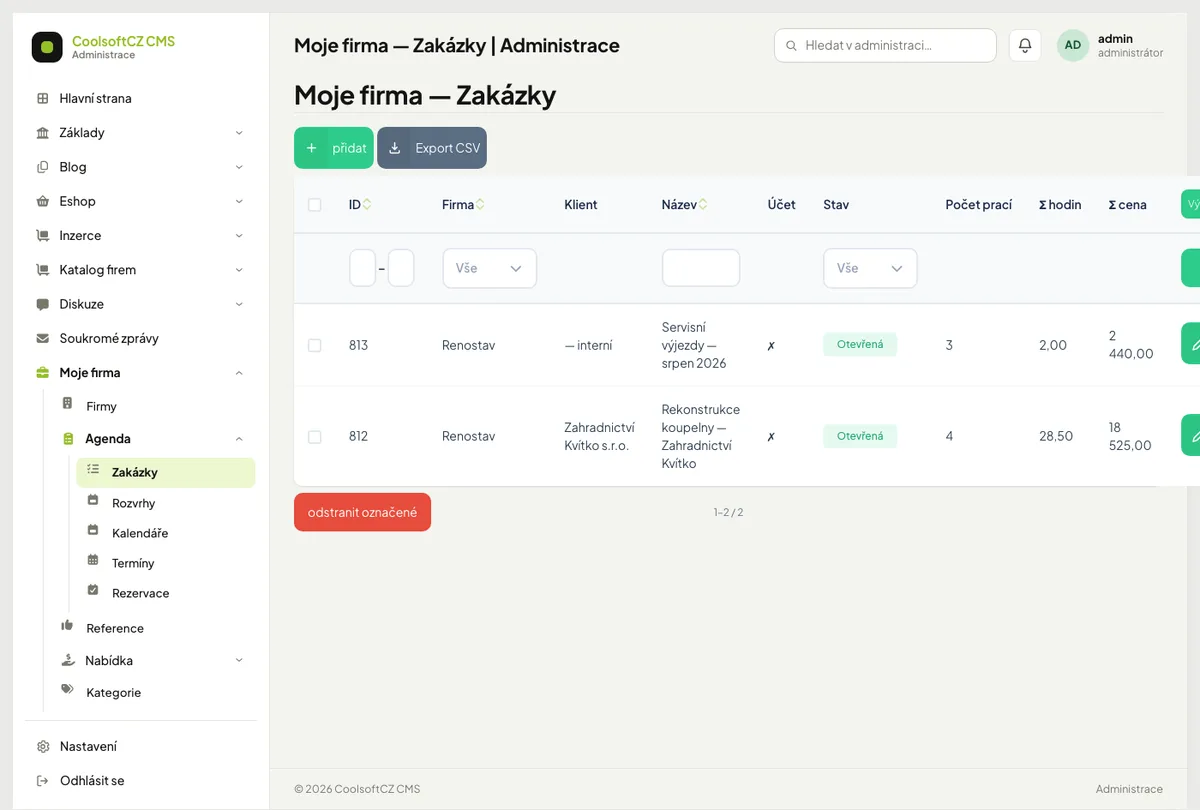
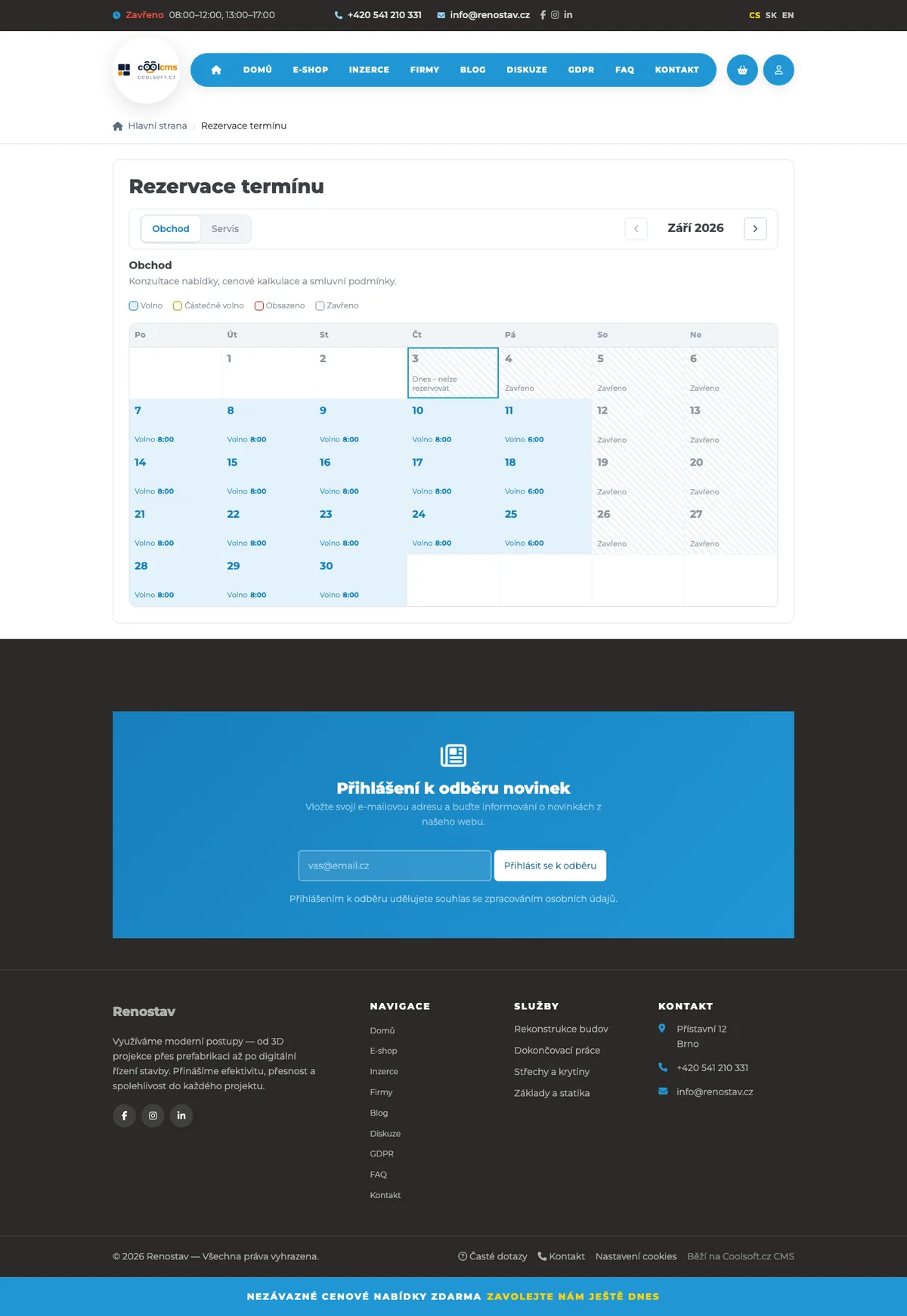
The diagram shows where the different parts of the module are in the administration. Real screenshots are in the gallery above.
Every part of the module has a step-by-step guide explaining what each setting does and in which order to use it.
Tell me what you need. I will tell you whether the module already does it, what would need to be added and what it will cost.